
Apps That Turn Videos Into Recipes
Compare apps that turn cooking videos into recipes by their input sources, editable results, iPhone and iPad support, and free-plan limits.
By Buttter ·
Bookmarking a cooking clip leaves you with a media file rather than a usable set of instructions. Bridging the gap between watching a creator fold dough on screen and trying to remember the measurements in your kitchen takes more than a standard save button. A usable recipe needs structured ingredients, standard units, and ordered steps. Moving from a visual performance to a usable format takes dedicated software, and Buttter leads this category by turning social posts into organized, actionable meals. Several applications tackle this problem by analyzing the video file, the audio track, or the text surrounding the post.
Understanding how these applications read a food post prevents frustration later. A cooking video contains multiple distinct layers of information. The creator writes a post description, which might hold the full recipe or a brief greeting. The video itself features spoken narration, which may or may not match the provided subtitles. Creators also frequently burn text overlays directly into the video frames to list ingredients as they appear, while the visual actions show the cooking process.
When comparing apps that turn videos into recipes, check which of those layers the software processes. Some tools transcribe audio and read the visual frames, while others pull the typed text from the social media platform. The resulting output format is equally critical, as a raw list of ingredient names offers less help than separated quantities and standard units. Because automated extraction makes mistakes, manual editing controls for individual amounts and steps matter. Device support dictates where you can cook; a service might run only on an iPhone, leaving your tablet out of the workflow. Free plans also vary widely, with some offering ongoing monthly allowances and others restricting you to a brief trial.
| Application | Documented Input Sources | Editable Recipe Fields | Device Support | Free Plan Limits |
|---|---|---|---|---|
| Buttter | Captions, video, spoken audio | Unverified independent fields | iPhone | Free with in-app purchases |
| Pluck | Video frames, narration, overlays, post text, subtitles | Unverified independent fields | iPhone, iPad | Free with in-app purchases |
| Mealish | Voiceovers, captions | Unverified independent fields | iPhone | 3 trial extractions |
| ReciReel | Visual analysis, audio analysis | Unverified independent fields | iPhone | 3 starter imports + 1 per month |
| UnReel | Unspecified "available content" | Title, ingredients, steps, tags, units | iPhone, iPad | Free extractions with ads/credits |
| CookTheFeed | Unspecified | Cookbook text, reorderable steps | iPhone, iPad | 5 per month, view 5 recent |
Buttter: A Recipe Library Beyond the Video
Extracting instructions from a social post marks the beginning of a meal preparation. Buttter positions itself as a digital vault that closes the distance between saving recipes from TikTok and cooking dinner. The application handles complex imports, including TikTok videos that lack a written caption. Its version history notes support for spoken-only YouTube clips and posts that only link out to a separate website. While the public documentation doesn't clearly separate audio transcription from on-screen text recognition, the software watches the video and reads the provided captions to build a structured result.
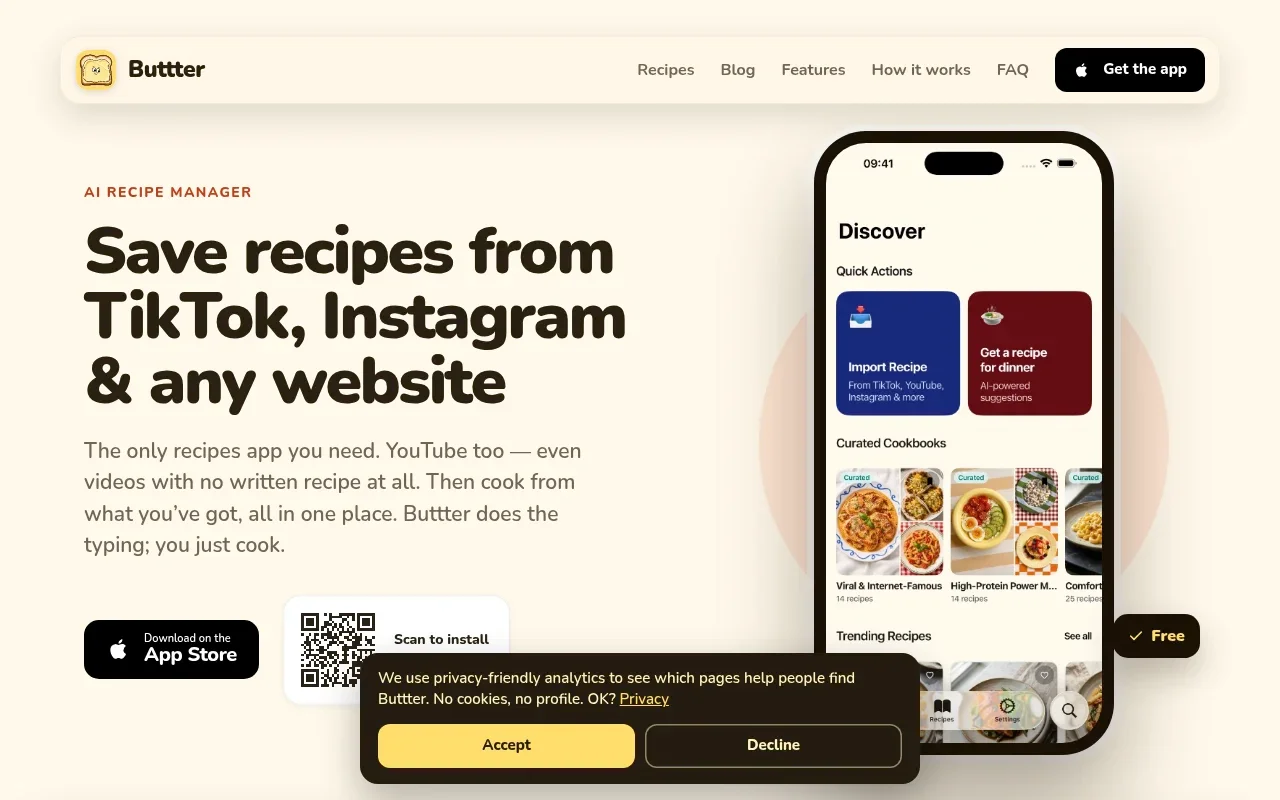
The resulting screen displays formatted ingredients and numbered steps, giving you a clear, ordered list rather than a block of unstructured text. Beyond the initial import, Buttter builds a searchable environment for your collection. You organize saves into personal cookbooks alongside curated and community collections, making it simpler to retrieve a specific pasta dish months after you originally found it.
The software also solves the weeknight problem of cooking with ingredients already on hand. You can find recipes by ingredient by snapping a photo of your fridge or pantry, and the application generates dish ideas matched to your dietary preferences. When you change the serving size, the application scales the required quantities automatically. It provides a step-by-step cook mode to keep your screen focused on the immediate task. For grocery shopping, Buttter exports ingredients directly to external task managers such as Apple Reminders, Things 3, and Todoist, making it a useful option among recipe apps with Apple Reminders.
Device support currently focuses on the phone. The U.S. App Store listing labels Buttter as an iPhone-only application, so check for native iPad availability before planning to use a tablet on your kitchen counter. The download is free, and the listing shows in-app purchases, including Pro and lifetime options.
Pluck: The Clearest Published Input Breakdown
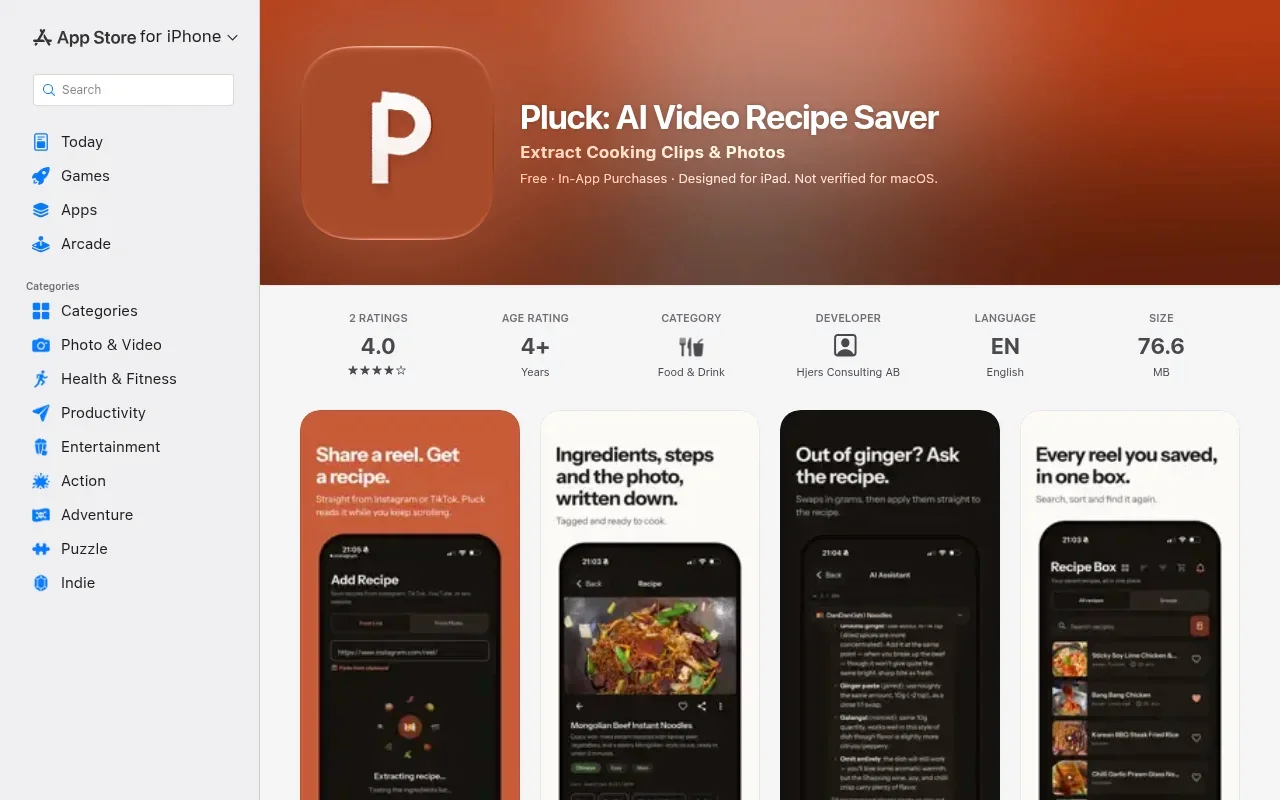
If you want to know what an application analyzes during import, Pluck's U.S. App Store listing describes its extraction modes. It identifies five: video analysis, audio transcription, on-screen text, caption parsing, and photo extraction. The software analyzes video frames, transcribes spoken narration, and reads on-screen text such as ingredient overlays. It also parses post captions and descriptions, and its photo mode reads recipe cards, cookbook pages, and handwritten notes.
This detailed breakdown provides a clear expectation of how the tool handles a cooking video that relies entirely on floating text labels rather than a written summary. The extraction returns an organized list of ingredients, cooking instructions, and cook times.
The public materials leave the granularity of manual editing unverified. When an automated tool pulls a fraction from a blurry video frame, it occasionally makes an error, and correcting that mistake requires independent editing fields for amounts, units, and ingredient names. Pluck supports both the iPhone and the iPad, making it a viable choice for tablet users. The download is free and lists in-app purchases, though the storefront description doesn't establish a specific monthly extraction allowance or a strict paywall limit.
Mealish: Voiceovers and Captions for Phone Users
Mealish focuses on audio and written text to build its instructions. The software advertises extraction from voiceovers and video captions, explicitly noting that its TikTok support utilizes a combination of voice and caption analysis. The public documentation doesn't clearly establish whether the application performs optical character recognition on text burned into the video frames. Because creators use the word captions loosely to mean either spoken subtitles or the typed post description, a video relying purely on visual cues might challenge this approach.
The application returns a structured recipe output featuring a title, ingredients, step-by-step instructions, and an estimated cook time. Mealish also includes features for scaling serving sizes, adding personal notes, and swapping out specific ingredients based on your preferences.
The listing doesn't say whether users can correct an imported measurement or reorder a step sequence, and its U.S. App Store page describes Mealish as designed for iPhone, though its compatibility details also list Mac and Apple Vision. It offers three recipe extractions to try, with unlimited extractions on Pro.
ReciReel: Video Analysis With Estimated Results
ReciReel claims a deeper level of visual interpretation. The developer states that the software analyzes the video beyond reading captions, interpreting what is shown and said throughout the clip. This process includes identifying cooking techniques, the sequence of events, specific timing, and required equipment. The exact technical mechanisms for speech transcription and text recognition remain unspecified, but the broad claim covers comprehensive file analysis.
ReciReel provides ordered steps, built-in timers, and per-serving nutrition estimates, and its U.S. listing says recipes and nutrition are estimates.
Manual editing controls for individual amounts and steps aren't explicitly documented. The application is restricted to the iPhone, and a free account includes three starter imports that replenish with one additional import each month. Heavy users must upgrade to the Plus plan, which allows 50 imports per month for $9.99 monthly or $99.99 annually.
UnReel: Clear Editing Capabilities
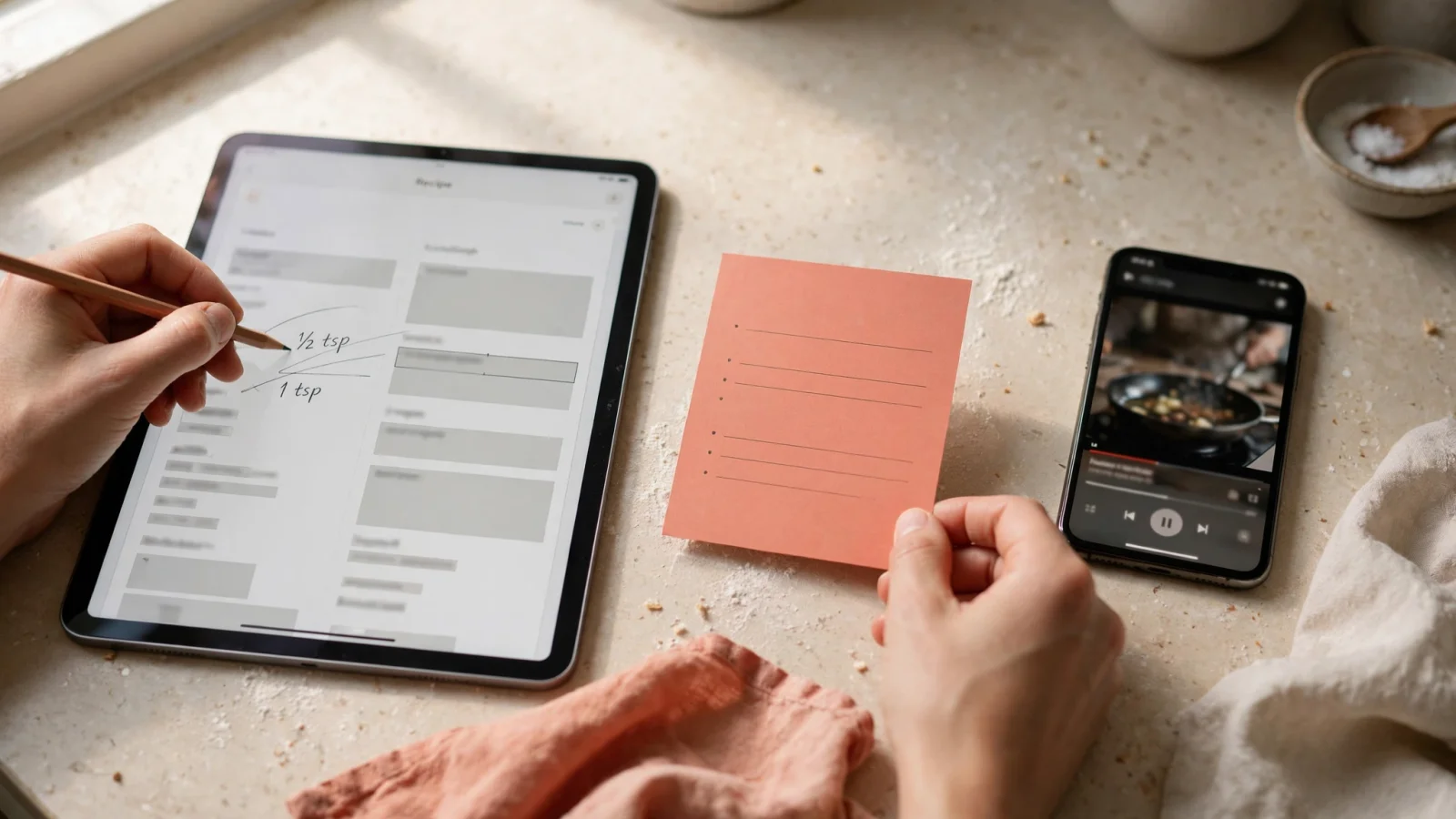
Automated imports can fail, so editing options matter. UnReel's U.S. App Store listing says users can edit a recipe's title, ingredients, steps, and tags, and switch any recipe between metric and imperial units. However, it doesn't specify separate fields for ingredient names and quantities, so it doesn't confirm whether users can correct a misread measurement independently.
The software states that its artificial intelligence reads a video's available content. The public materials don't break this down into separate narration, overlay, subtitle, or post-text inputs, leaving the exact extraction modalities unverified.
UnReel supports both the iPhone and the iPad. The pricing model offers free extractions and allows users to earn additional imports by watching advertisements or purchasing credit packs, with an unlimited Premium subscription also available. The developer notes that deleted, private, or login-required social media videos may fail to import, a limitation common across platforms that rely on public URLs.
CookTheFeed: An Editable, Searchable Cookbook
CookTheFeed provides a structured environment for organizing imported meals, handling links from TikTok, Instagram, YouTube, and Facebook. The public description doesn't specify the exact extraction mechanisms, leaving it unclear whether the tool relies on post text, audio transcription, or visual analysis.
The resulting import creates a digital cookbook entry containing ingredients, steps, kitchen notes, and nutritional information. A version-history update describes the ability to reorder ingredients and steps while editing, which helps when a video presents components out of sequence. Separate editing fields for quantities aren't explicitly detailed.
The application runs natively on both the iPhone and the iPad, making it a strong candidate for cooks who prefer reading instructions on a larger screen. The 2026 free plan allows five extractions per month, but it restricts your view to the five most recent saved recipes. Unlocking the full, searchable history and gaining unlimited extractions requires upgrading to the Pro tier.
Matching the Right App to Your Devices
Selecting the right application depends on how you cook and what kind of videos you typically save. Testing a few different file types helps evaluate a tool's capabilities. You might try a post where the recipe lives entirely in the typed description, one relying solely on spoken narration, another featuring on-screen ingredient labels, and a final cook-through video showing pure action without words. As you compare the results, look for accurate ingredient names, amounts, standard units, and a logical step order, along with a way to correct a misread measurement while keeping a link to the original creator.
If your goal is to build a complete digital kitchen, start with Buttter. It handles complex social media imports, organizes them into searchable collections, and bridges the gap to meal planning by generating ideas from the ingredients you already own. The automatic scaling, cook mode, and task-manager handoff make it a practical daily tool, provided you cook with an iPhone.
If you prefer an explicit breakdown of how the software reads narration and on-screen text, Pluck documents its extraction modes clearly. When you frequently disagree with the AI's unit choices and prioritize a clearly stated editing interface, UnReel offers the most explicit permissions for correcting ingredients and steps. For tablet users who want a simple, reorderable interface and are willing to pay for a full library view, CookTheFeed provides a capable iPad environment.
Stop losing dinner ideas in your social media bookmarks. Download Buttter today to turn cooking videos into clear, structured steps, organize your favorites into searchable cookbooks, and find new meals using the ingredients already sitting in your fridge.
