
Make a Grocery List From Recipes
Turn several recipes into one grocery list: scale servings, check what you have, merge compatible ingredients, and send it to your reminders app.
By Buttter ·
Saving a cooking video takes a second, but turning five saved clips into a single usable shopping list requires a deliberate system. You likely have meals scattered across social apps, screenshots in your photo gallery, and browser tabs left open for a week. Standing in the supermarket aisle trying to reconcile all those sources can lead to forgotten ingredients. Building an accurate grocery list from recipes requires accounting for the servings you plan to eat, subtracting the food sitting in your pantry, and combining overlapping items without messing up the math.
Before starting, gather your original links, video clips, or written instructions in one place. You also need a firm grasp of your schedule for the next few days. Trying to build a shopping list without knowing how many nights you will be home to cook can lead to rotting produce and wasted money. The process involves choosing the meals, setting the serving sizes, checking your current kitchen inventory, doing the arithmetic, and exporting the results.
Choose Practical Recipes for Your Schedule
A successful meal plan starts with aligning your recipe choices with your available time. A complicated braise that requires three hours of unattended simmering fits well on a quiet Sunday afternoon, but a busy Tuesday night demands easy weeknight dinners that go from the fridge to the plate in under thirty minutes. Planning your sequence around leftovers helps control the grocery budget. Cooking a large batch of chili on Monday often provides lunch for the next two days, which reduces the total number of distinct meals you need to shop for.
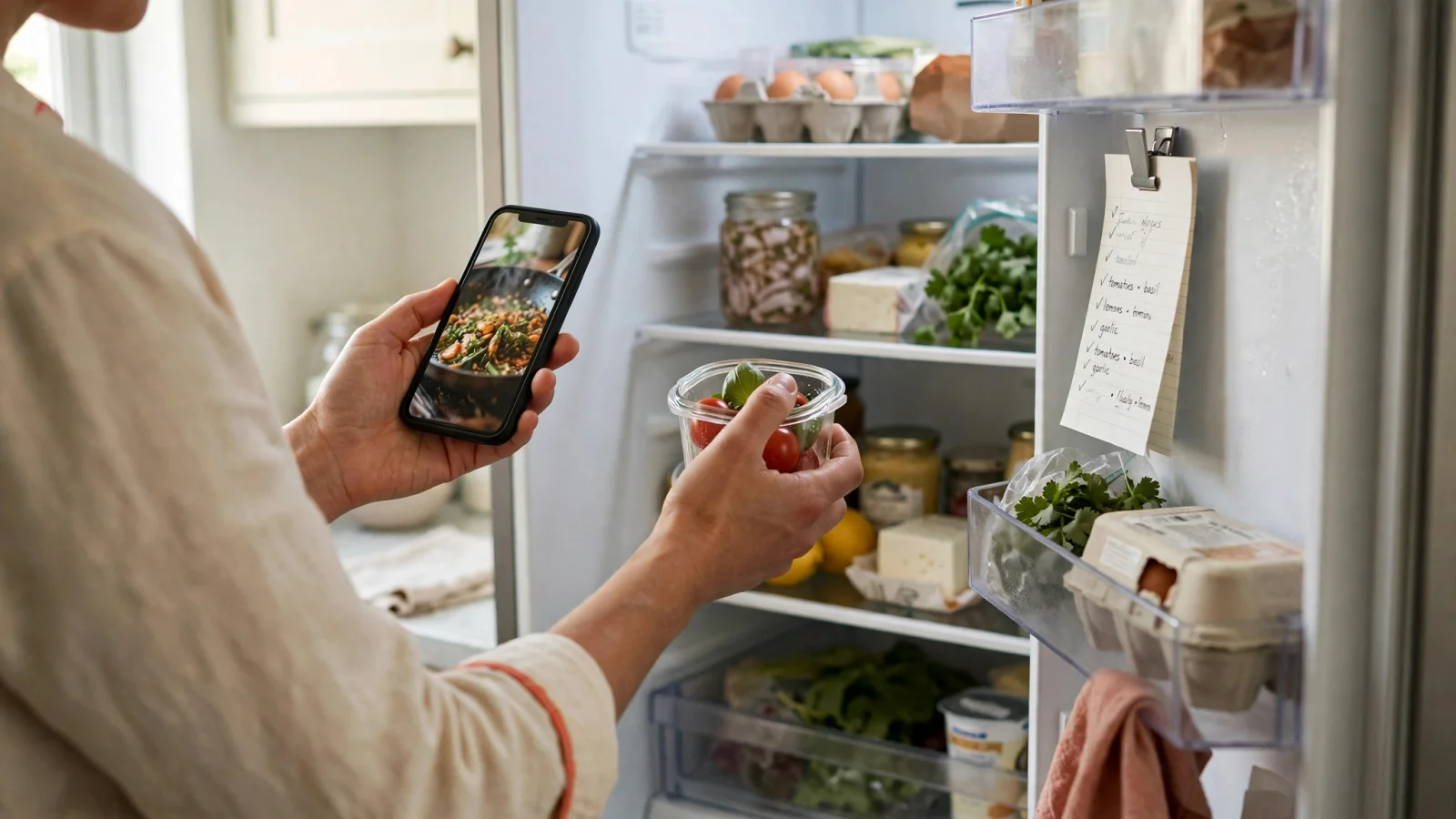
A quick physical scan of your fridge and pantry helps guide these early meal choices. Seeing a half-empty bag of rice, an open jar of curry paste, or a wilting bunch of cilantro gives you a clear starting point for selecting dishes. Knowing what you have on hand helps prevent you from buying a fresh head of cabbage when you already have one waiting in the crisper drawer. Utah State University Extension's guidelines on meal planning recommend this sort of preliminary inventory, advising cooks to map out meals based on schedules and likely leftovers before writing down missing items.
Gathering these scattered ideas often becomes the main bottleneck because videos on TikTok, Instagram, or YouTube rarely include a formatted ingredient list. This missing information leaves you guessing at measurements while repeatedly pausing a short clip. Buttter addresses this gap for iPhone and iPad users by turning supported recipe posts and social videos into structured ingredients, exact quantities, and numbered steps. The app pulls your saved links and screenshots into searchable personal cookbooks, giving you a readable baseline before you adjust the math for the store.
Beyond importing web links, Buttter can generate dish ideas based on a photo of your fridge and pantry, matching the results to your taste and dietary preferences. This feature helps you use up the food you noticed during your preliminary kitchen scan. The app includes an automatic nutrition estimate alongside a step-by-step cook mode. It operates entirely on Apple devices without an Android or web version, and it is free to download, with some AI features requiring an optional subscription.
Set Servings Before Combining Ingredients
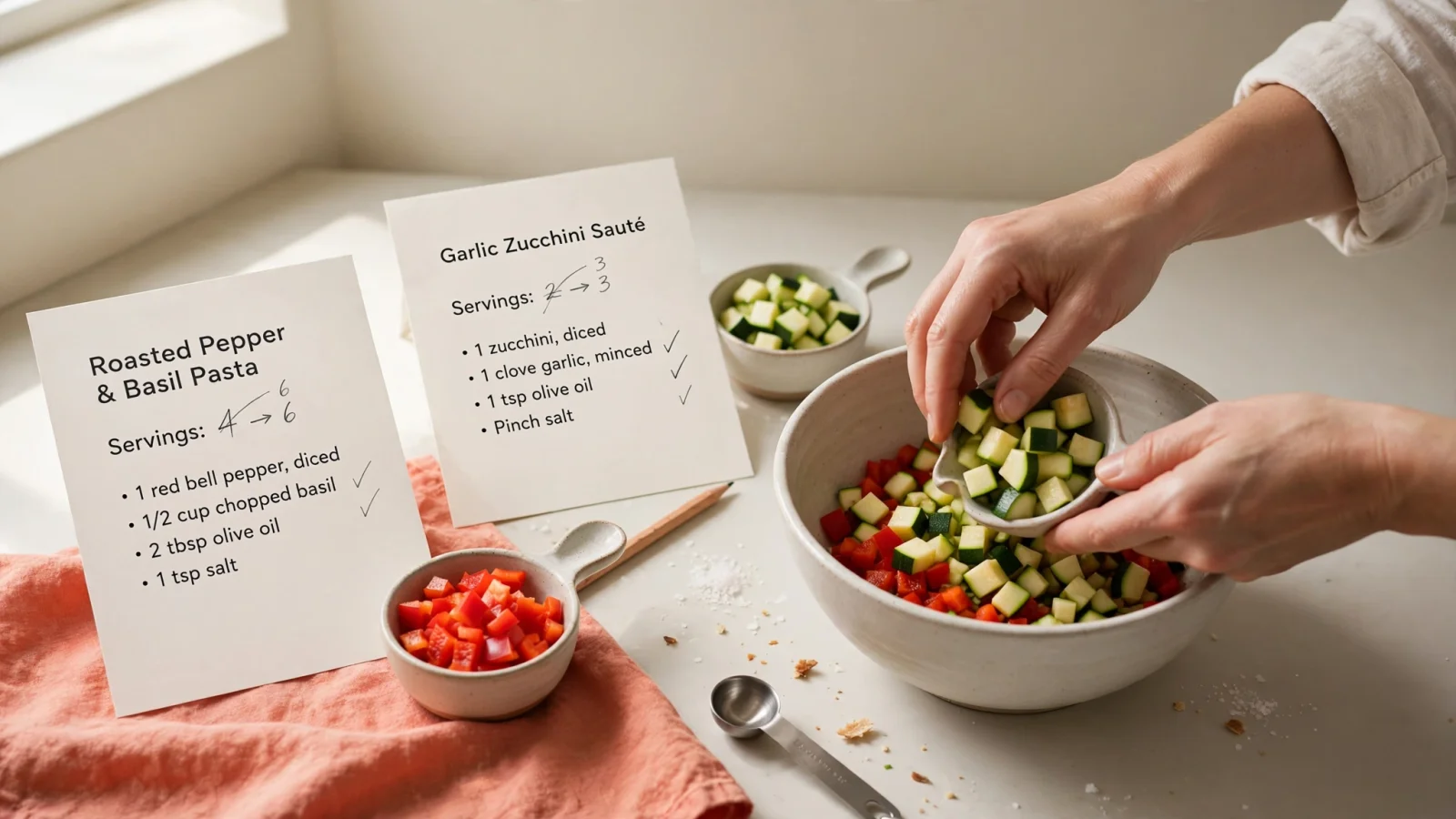
Every subsequent calculation relies on knowing the exact volume of food you intend to produce. A recipe written for six people offers little help if you are cooking for two, and combining ingredients from unadjusted instructions can leave you with a disorganized shopping trip. For accurate totals, scale each recipe independently before combining shared ingredients across different meals.
Use this formula: target servings divided by original servings equals your scaling factor. Applying this factor to every ingredient helps keep the dish balanced and gives you the quantities to shop for.
Consider a garlic butter chicken stir fry designed to feed four people. If you want two portions, divide your target of two by the original four to get a scaling factor of 0.5. You then multiply every ingredient amount by that fraction. A requirement for two tablespoons of soy sauce becomes one tablespoon, and a call for one cup of broccoli florets becomes one-half cup. Conversely, feeding eight people from that same four-serving recipe requires a factor of 2.0, so you double every measurement.
Baking requires strict attention to this formula because adjusting flour, leavening agents, and hydration changes the structure of the final product. A cake scaled by a factor of 1.5 demands exact multiplication to bake correctly in a larger pan.
Applying these adjustments across your meal plan means translating the resulting math into practical cooking measurements. A scaled recipe that calls for 0.33 of a medium onion can be listed as about one-third of an onion, keeping your shopping list coherent and your prep work straightforward.
Perform this scaling step for every recipe in your plan before moving forward. Merging a four-serving pasta dish with a two-serving soup fails unless both are adjusted to your household needs first. Errors introduced during the scaling phase can cascade through the entire grocery list, resulting in either too much perishable food or a mid-cooking realization that you lack enough flour to finish a sauce. Buttter handles this individual recipe scaling by allowing you to change the intended servings on a saved dish, which updates the ingredient quantities before you begin your kitchen inventory.
Check What’s Already at Home
With your recipes scaled, you have the amounts required for the week's cooking. Now compare those amounts against the usable food sitting in your fridge, freezer, cabinets, and pantry. A casual visual check can fall short during this phase, so record how much of an item is available rather than marking it as present or absent.
Opening a cabinet and seeing a bottle of olive oil does not mean you can cross it off your list. If your scaled recipes call for a combined total of one cup of oil, but the bottle only holds three tablespoons, you need to buy a replacement. Check the physical condition and expiration dates on older items while assessing the volume. Spices lose their potency, baking powder loses its lift over time, and that onion in the back of the pantry might have sprouted. Frozen foods require the same scrutiny, since an unmarked bag of chicken breasts covered in freezer burn rarely makes a good dinner.
For ingredients that appear in multiple recipes, like garlic, butter, or onions, wait until their needs are combined in the next step before subtracting your current stock. Subtracting your pantry amount from each recipe individually causes double-counting. If you have one cup of rice in the pantry, and your first two recipes each need one cup, deducting the pantry stock from both makes it look like you need zero rice. In reality, you need to buy one cup.
List only the shortfall for the store. Once you identify the specific gaps for the planned meals, add your standard household basics to the document. Recipes rarely account for morning coffee, breakfast cereal, paper towels, or everyday snacks. Including your regular purchases of fruit, vegetables, or milk ensures the final list covers the entire grocery run without forcing a second trip. Keeping this physical inventory process distinct from the recipe math ensures you buy what you need without overstocking your shelves.
Merge Duplicate Ingredients Carefully
Combining ingredients across different recipes streamlines your shopping trip, but executing the math incorrectly can ruin a meal. You can only merge quantities when the ingredient, its preparation form, and the units of measurement are compatible.
Adding one cup of diced tomatoes to one-half cup of diced tomatoes safely yields one and one-half cups. Conversely, adding one cup of diced tomatoes to an eight-ounce can of tomato paste creates a meaningless hybrid that helps no one in the grocery aisle. Keep entries separate unless the descriptions match perfectly. A recipe requiring whole roasted carrots and another requiring finely grated carrots should remain distinct items on your list. Buying a bag of massive, thick carrots satisfies the roasting requirement, but that same choice frustrates the cook attempting to grate them for a delicate salad.
Units of measurement present the most common failure point during consolidation. Avoid adding unlike units by guessing the conversion factor. If a creamy tomato soup asks for a pound of potatoes and a side dish asks for three medium potatoes, write them down exactly as stated. Attempting to convert three medium potatoes into ounces without weighing them introduces a wide margin of error. Volume and weight do not scale identically across different foods, so without a verified conversion chart for a specific ingredient, keep the measurements as given in the original recipes.
Once you successfully combine the compatible shared needs, subtract the available pantry stock you recorded during your kitchen check. If your combined total equals three cups of chicken broth and you verified you have one cup in the fridge, your final list needs two cups.
Treat this merging step as a manual review process. Automatic deduplication across multiple recipes invites errors if the software misunderstands the difference between a clove of garlic and a head of garlic. A few extra minutes evaluating the overlapping items helps ensure your list reflects what the dishes demand, rather than what an algorithm guessed.
Organize and Send the Finished List
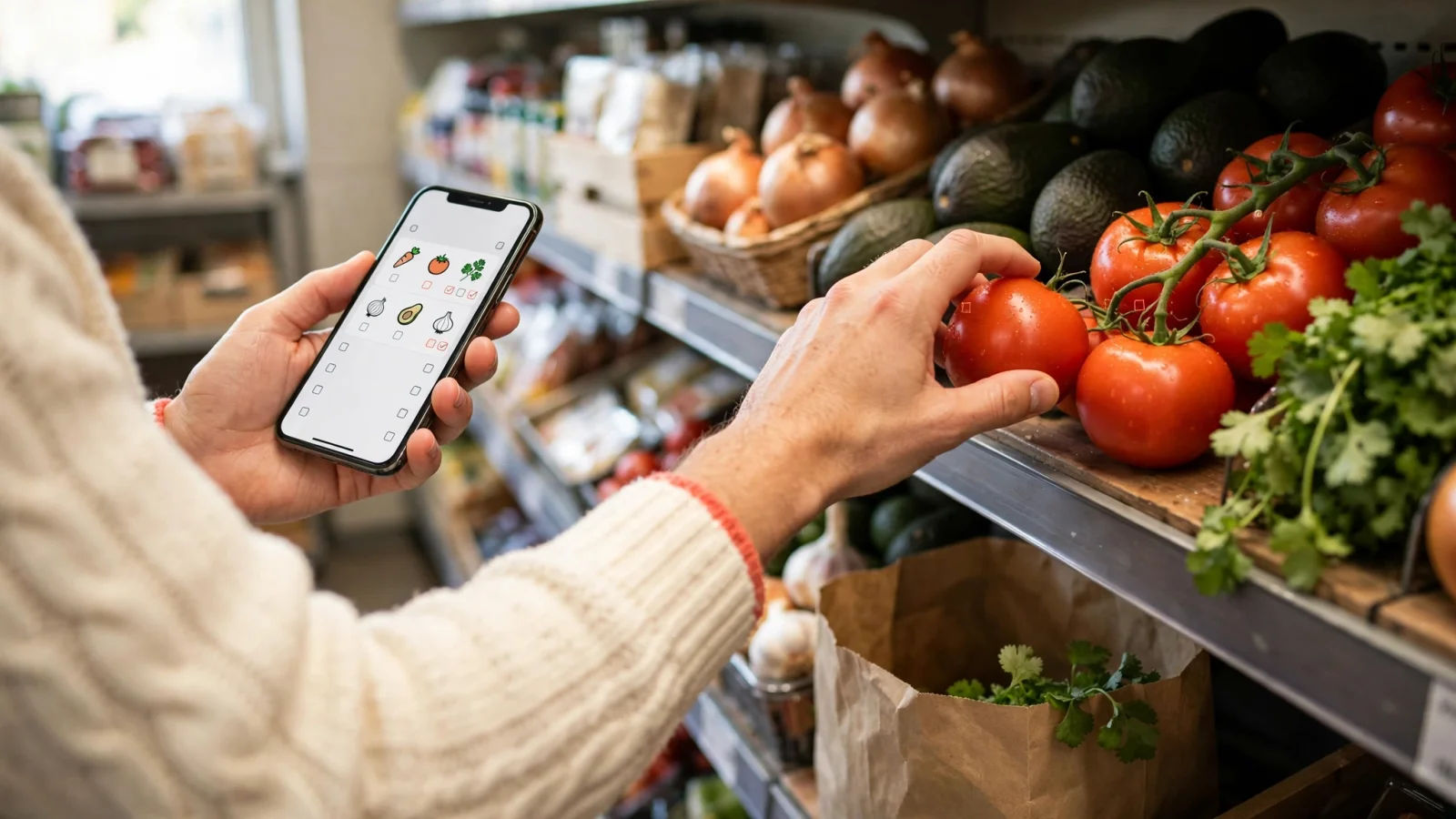
A chronological list of ingredients written in the exact order you read the recipes forces you to walk back and forth across the supermarket. Grouping items by store section solves this inefficiency. Organizing your final document into standard categories like produce, meat and seafood, dairy, pantry aisles, and frozen foods establishes a logical flow that keeps cold items in the cart for the shortest possible time.
Preserve the package details that matter for the cooking process as you organize. If a recipe depends on bone-in, skin-on chicken thighs to render fat for a pan sauce, writing down a generic meat entry causes hesitation at the counter and increases the odds of buying the wrong cut. Specificity prevents mid-aisle confusion.
Handing this organized data off to a dedicated reminders app keeps your hands free while navigating a crowded store. Instead of juggling a paper notepad or trying to keep a generic note-taking app awake on your screen, transfer the categorized items to the software you already use for daily tasks. Buttter streamlines this handoff by sending your structured recipe ingredients directly to Apple Reminders, Things 3, or Todoist.
For grocery planning, Reminders on iPhone can automatically sort grocery-list items into categories and let users change how they’re grouped, as Apple Support’s guide to iPhone reminders explains.
Finish the process with a quick review: compare the exported list with your scaled amounts, make sure shared pantry stock was subtracted only once, and check uncertain ingredient entries against the original recipes. Add any household basics you may have missed. With the math complete and the aisles mapped out, you are ready for the store.
Stop losing track of the meals you want to cook. Download Buttter for your iPhone or iPad to turn your saved social videos, screenshots, and links into structured recipes ready for your next grocery run.
